Knowledge Base
Change Your Reseller Account's Business Information
You should ensure that all business information in your account are always valid and up to date. These business details are significant for the communication between you and your client. The contact information here will be used as your business details on the invoices to your client, and within your Terms and Conditions.
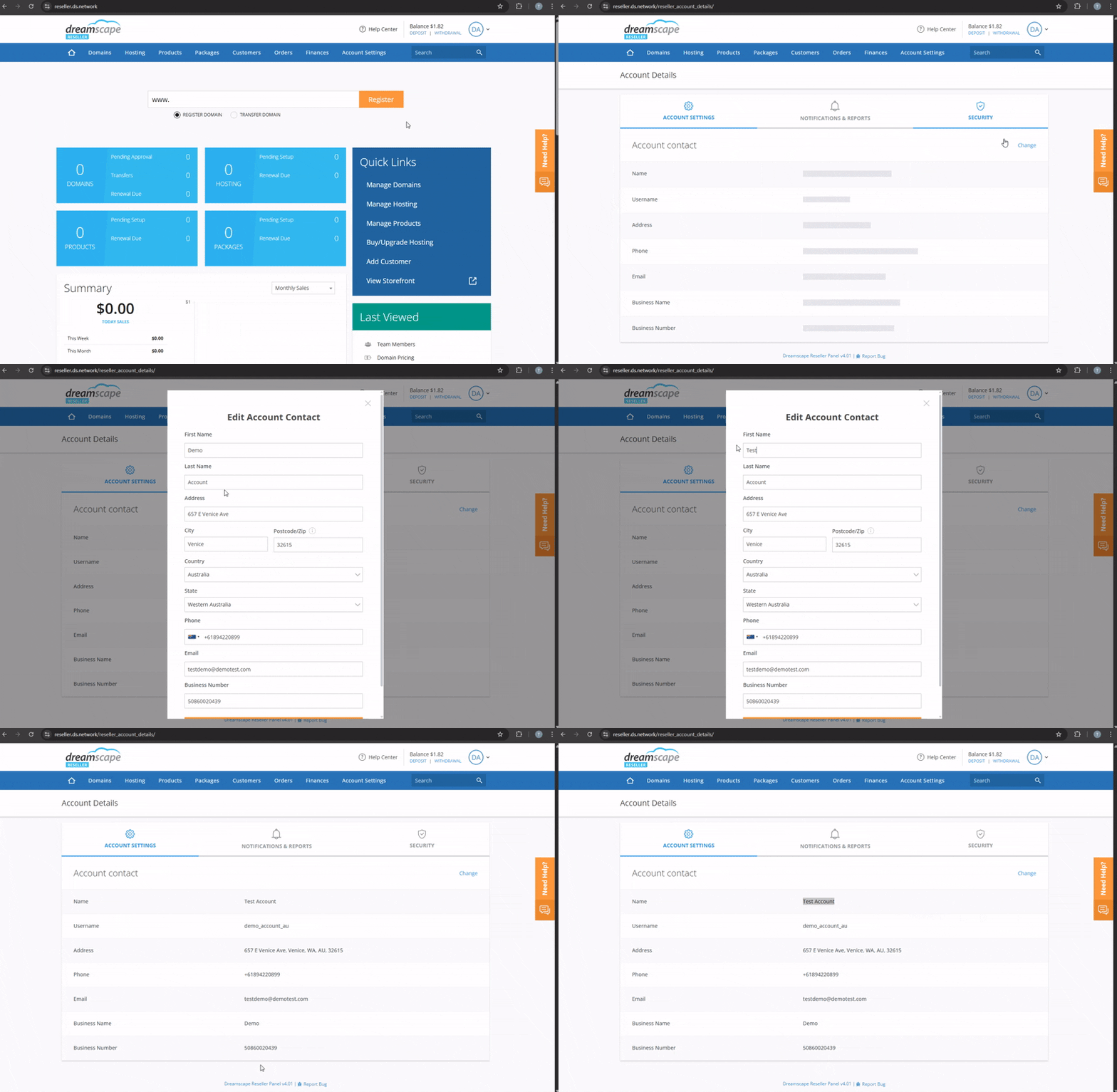
You can update your contact information by following the instructions below:
Update Reseller Account's Business Information
- Log in to the Reseller's Console.
- Go to the upper right hand side of the console that shows your account initials.
- Click on Account Profile.
- Click on Change.
- Update the details that needs to be updated.
- Click on Submit to save the details.

Update Contact Information on your Contact Us Page
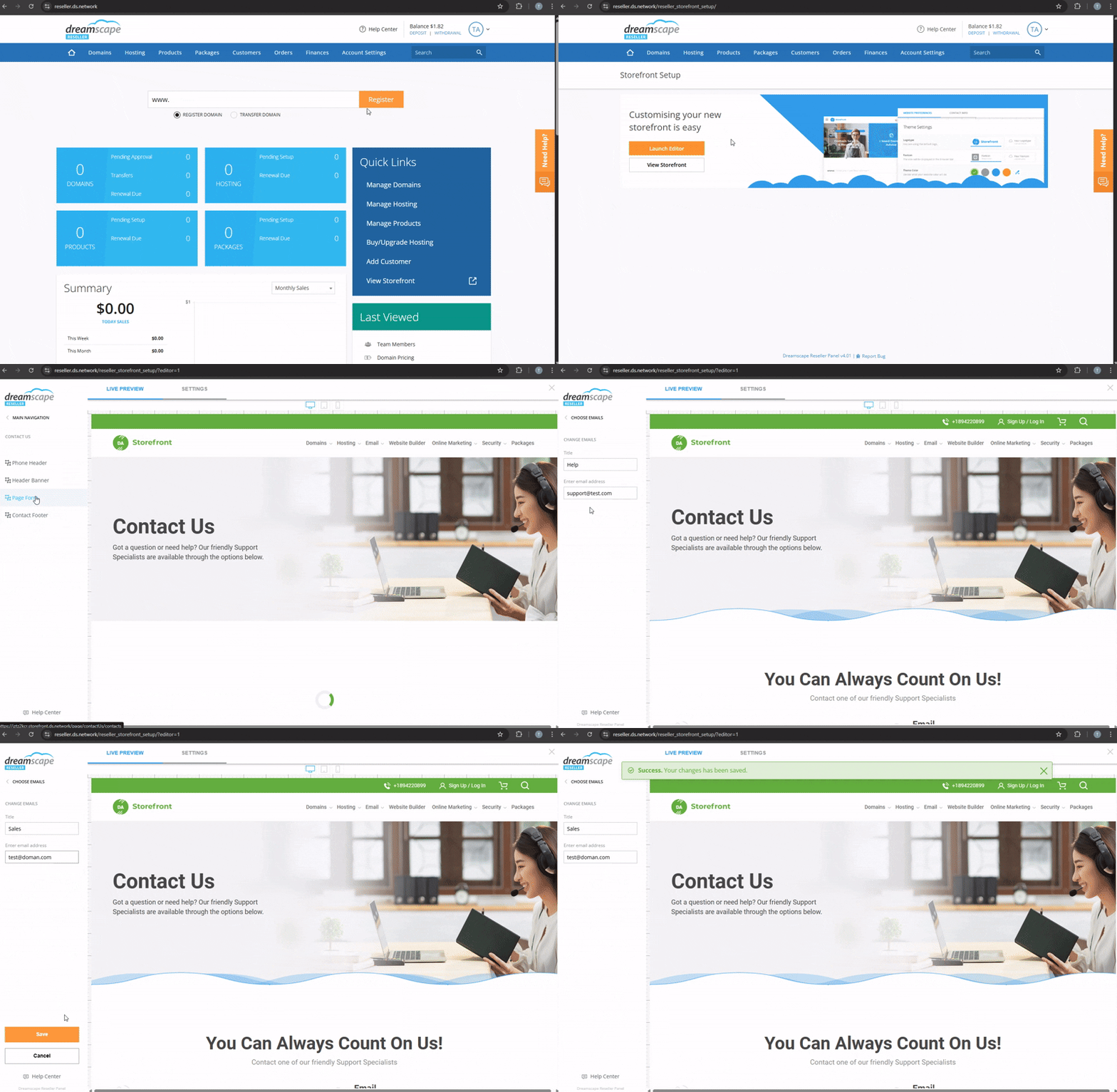
The contact details that are displayed on your contact page are different to the business details above so you can provide different information for pre-sales or support. Please note that domain name registries require all Resellers to have valid contact information on their Storefront.
- Go to Account Settings, Storefront, and select Storefront.
- Click on Launch Editor.
- Go to Contact US menu on the left hand side.
- Select Page Form.
- Click on which contact details you wish to update, Email, Phone, or Address.
- You can edit the detail by clicking on it or add another one.
- Click on Save.
Did you find this article helpful?