Knowledge Base
Create a New Customer
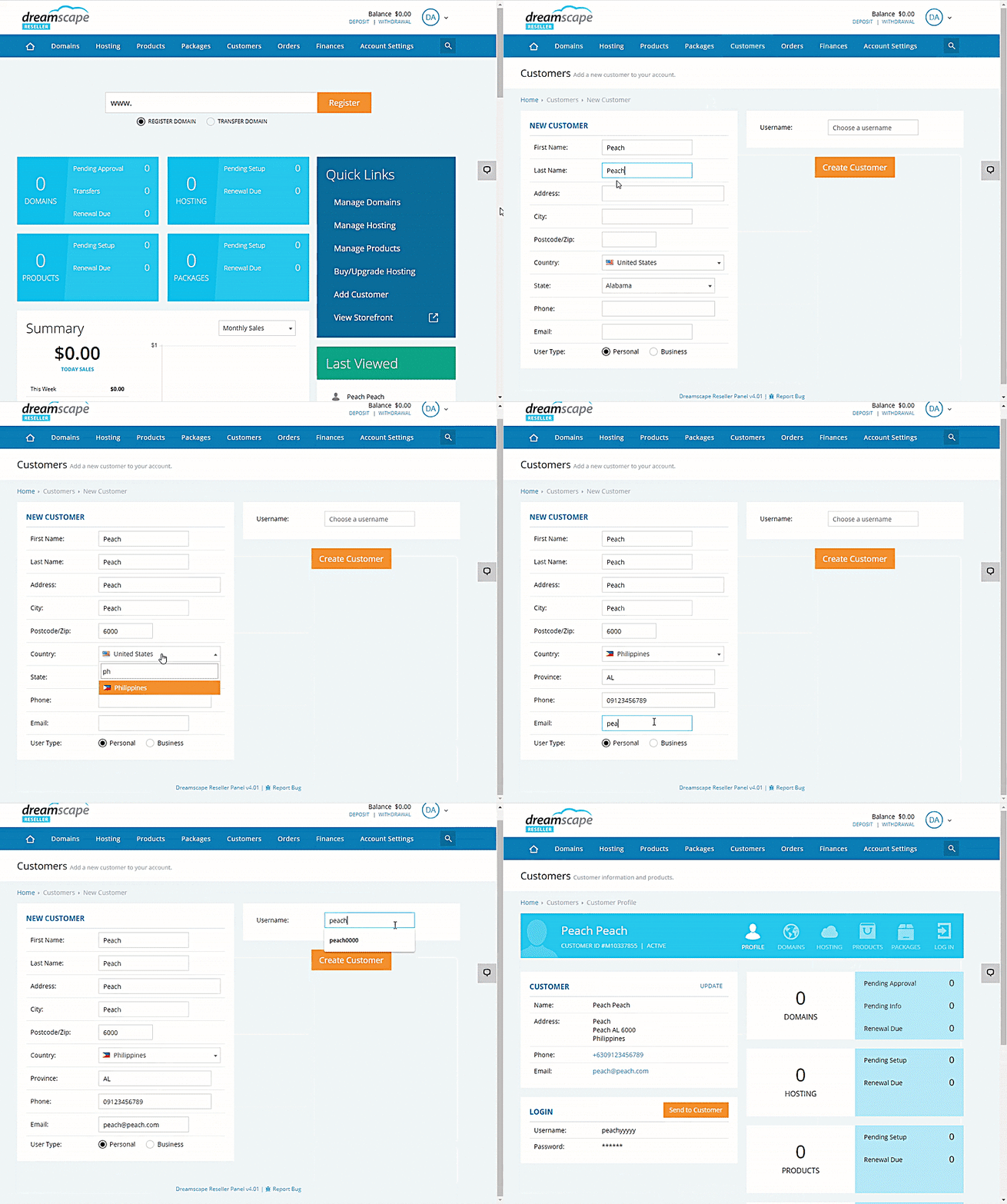
A customer would usually create their own account through the Storefront when placing an order, or created through our API commands. But there will be times when you need to manually create a customer account for them to use.
Please follow this guide on how to create a customer account in the console.
- Log in to the Reseller's Console.
- Hover your mouse over the Customers option.
-
Click New Customers.
Tip:
You can also click the Add Customer option from the Quick links. - Fill in all the necessary information about the customer.
-
Click the Create Customer button once done.
Did you find this article helpful?