Knowledge Base
Enabling & Disabling Products
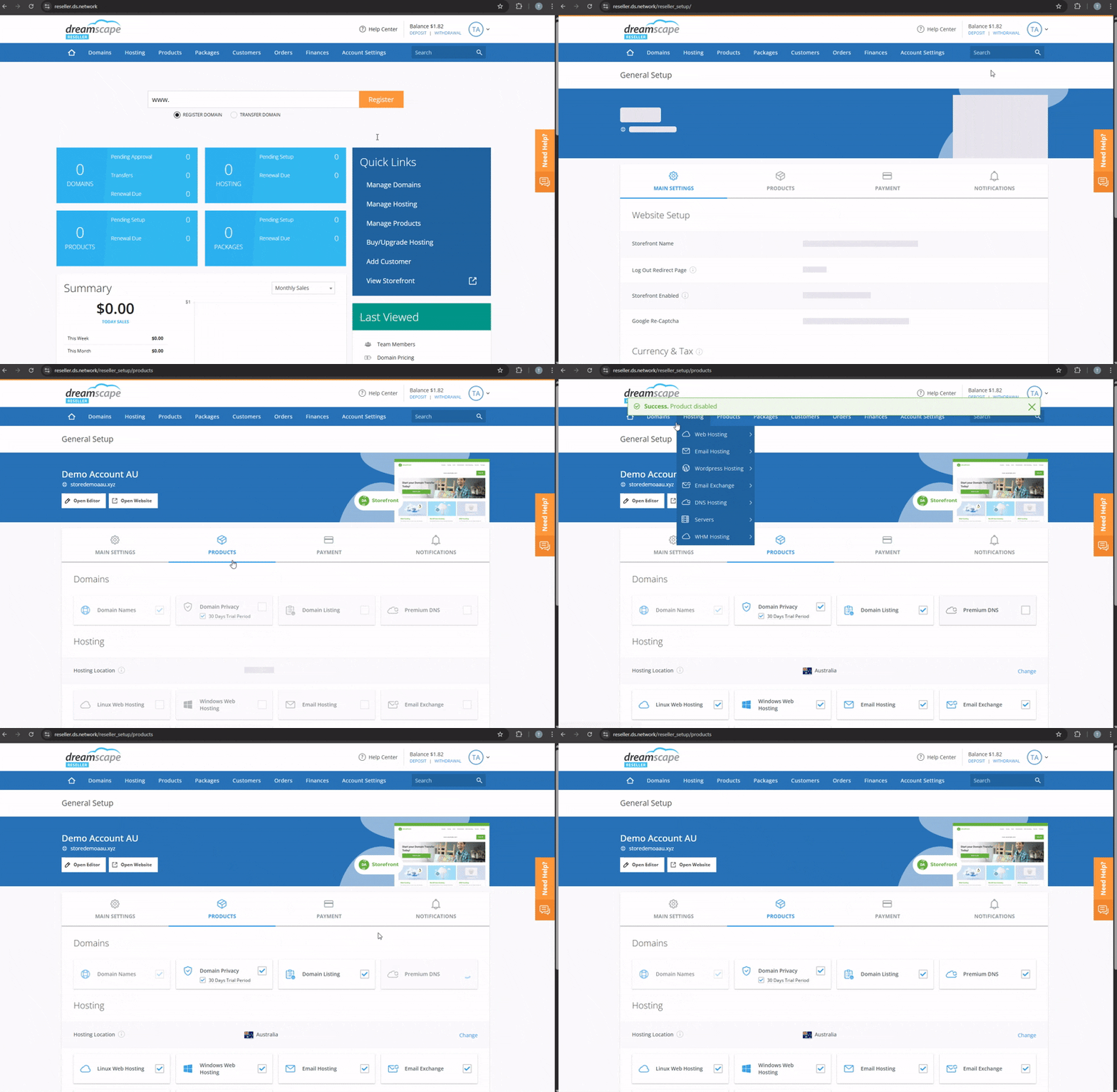
We have a wide range of products that you can sell on your storefront, from web hosting to SEO tools and analytics. We understand that your business may not need to sell all products we offer, so you can simply untick or disable the products you do not want to sell on your Reseller storefront.
Please note that every Reseller must include domain names as a product and disabling products that you have sold in the past will cause your clients not be able to renew.
Changing the Products in the Storefront
- Go to Account Settings, Storefront, and select General Setup.
- Go to Products tab.
- Simply select or deselect the products/services you want to enable/disable in your Storefront.
- Settings will be automatically saved upon clicking.
Did you find this article helpful?