Knowledge Base
Change Reseller Account Password
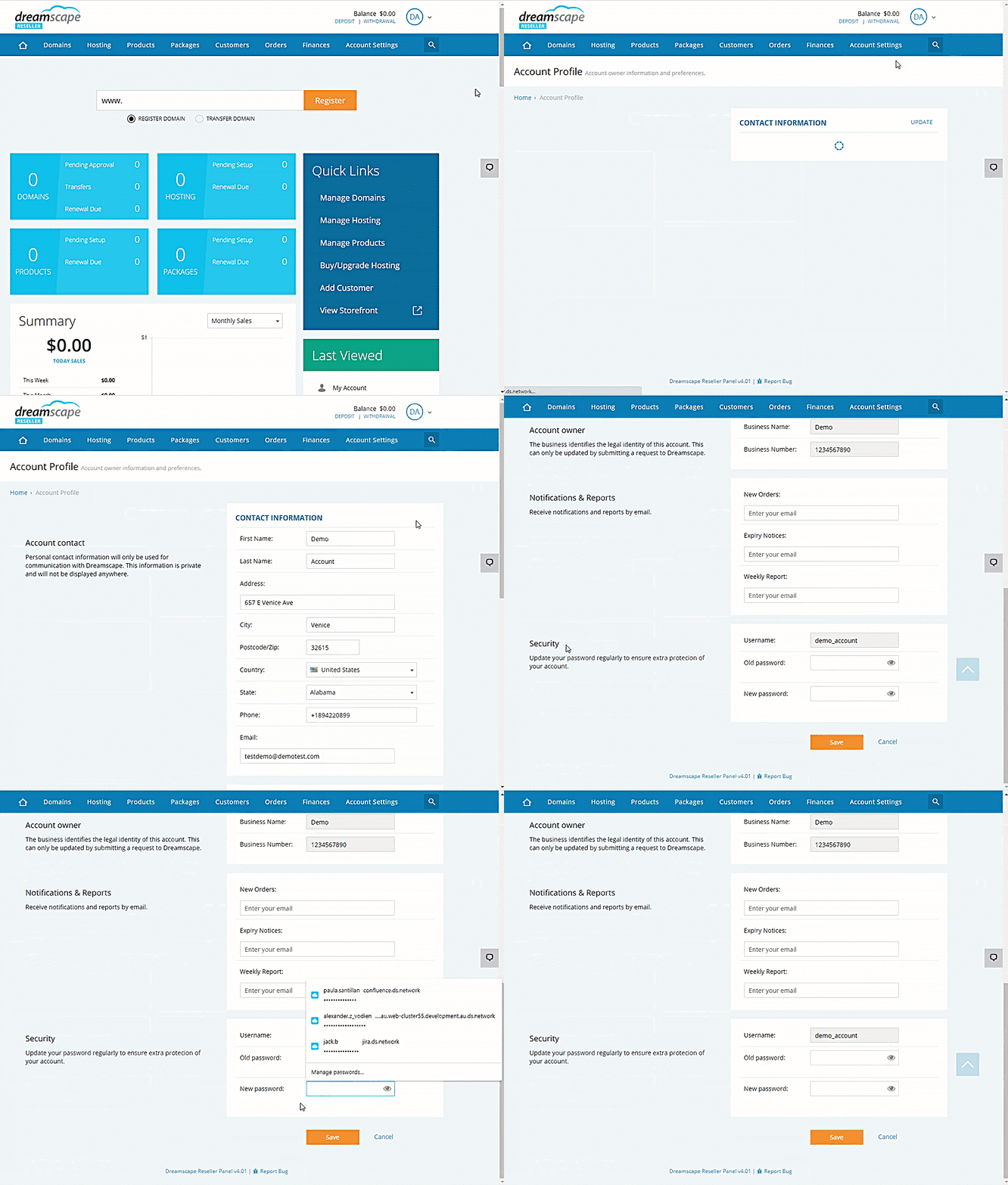
For added security purposes, it is wise to change your Reseller Console's account password regularly. To update your password, follow the instructions below.
Changing the Reseller Account Password
- Log in to the Reseller's Console.
- Click the dropdown menu in the upper-right corner of the screen.
- Select Account Profile .
- Click the Update option beside the Contact Information label.
- Scroll down to the Security section.
- Type in your Old Password in the box provided.
- Type in the desired New Password in the box provided.
- Click the Save button to confirm changes.
Did you find this article helpful?