Knowledge Base
Setup Order Notifications and Reports via Email
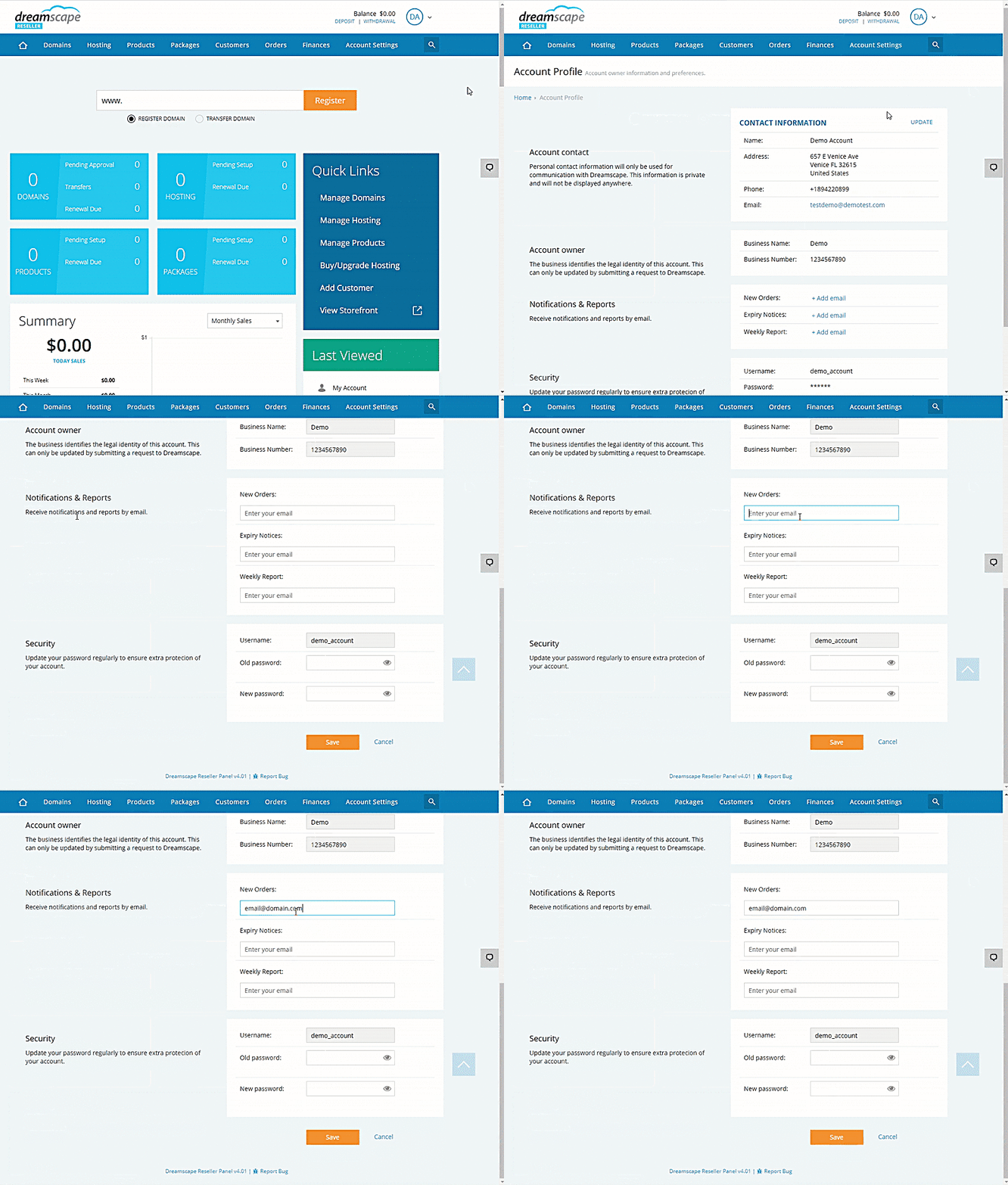
You can be alerted instantly by email whenever you receive a new order, when a domain name is up for renewal or if you would like a weekly reports. To setup these real time alerts and notifications, follow the instructions below:
Adding Email Address for Notifications and Reports
- Log in to the Reseller's Console.
- Click the dropdown menu in the upper-right corner of the screen.
- Select Account Profile.
- Click the Update option beside the Contact Information label.
- Scroll down to the Notifications & Reports section.
- Type in the Email Address where you want to get notified about New Orders, Expiry Notices, and Weekly Report.
- Click the Save button to confirm changes.
Did you find this article helpful?