Knowledge Base
Report a Bug in the Reseller Console
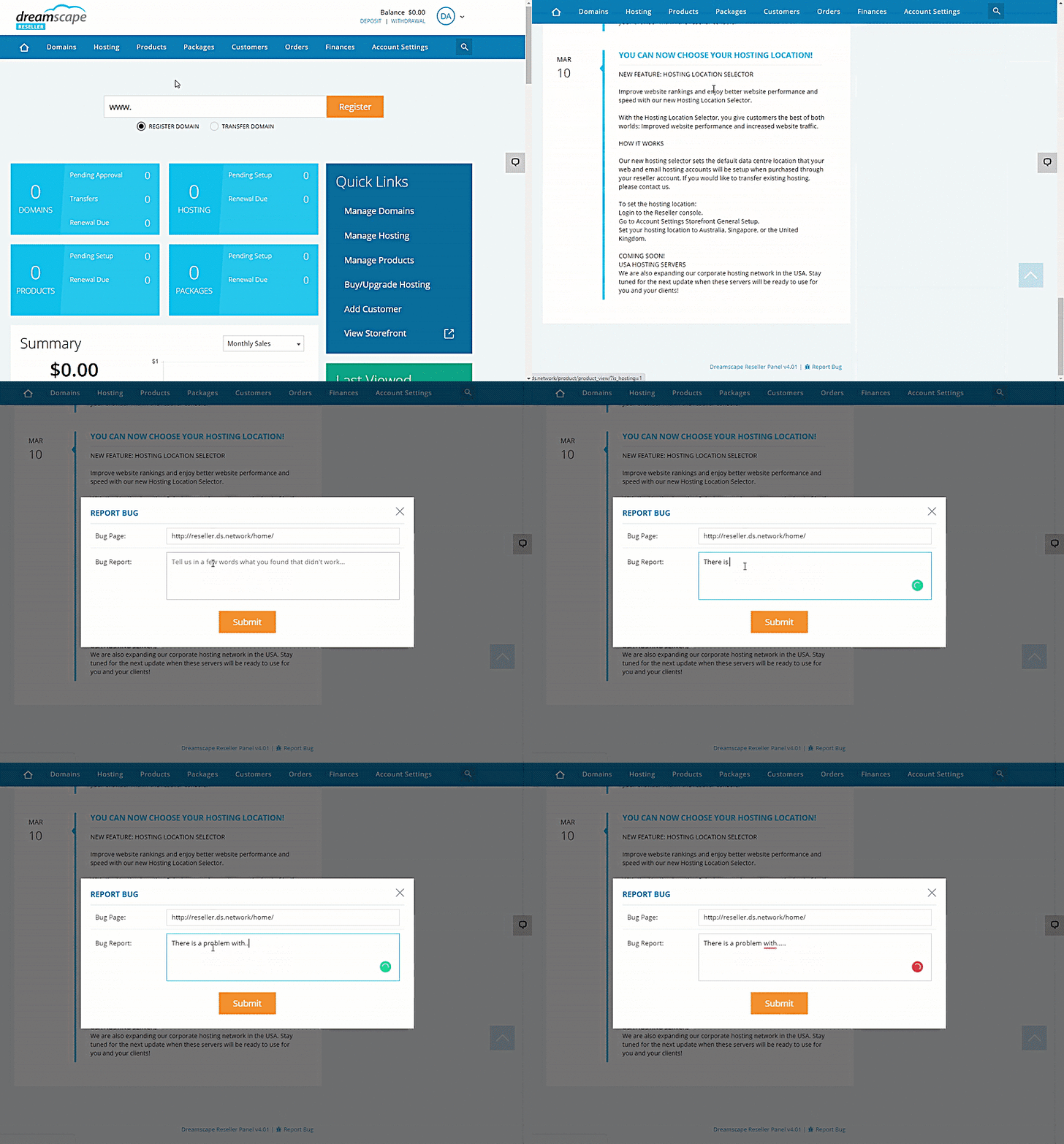
If you encounter any irregularities, issues, or functions that do not work as they should, you can easily report it to us. Here is how to send a bug report by referring to the instruction below, it's best you submit the issue on the same page you are having issues.
Reporting a Bug
- Log in to the Reseller's Console.
- Scroll down to the bottom part of the page.
- Click the Report Bug link.
- Paste the Bug Page link.
- Type in a brief and concise description of the bug you encountered.
- Click the Submit button.
Did you find this article helpful?