Knowledge Base
View Monthly Transaction Reports
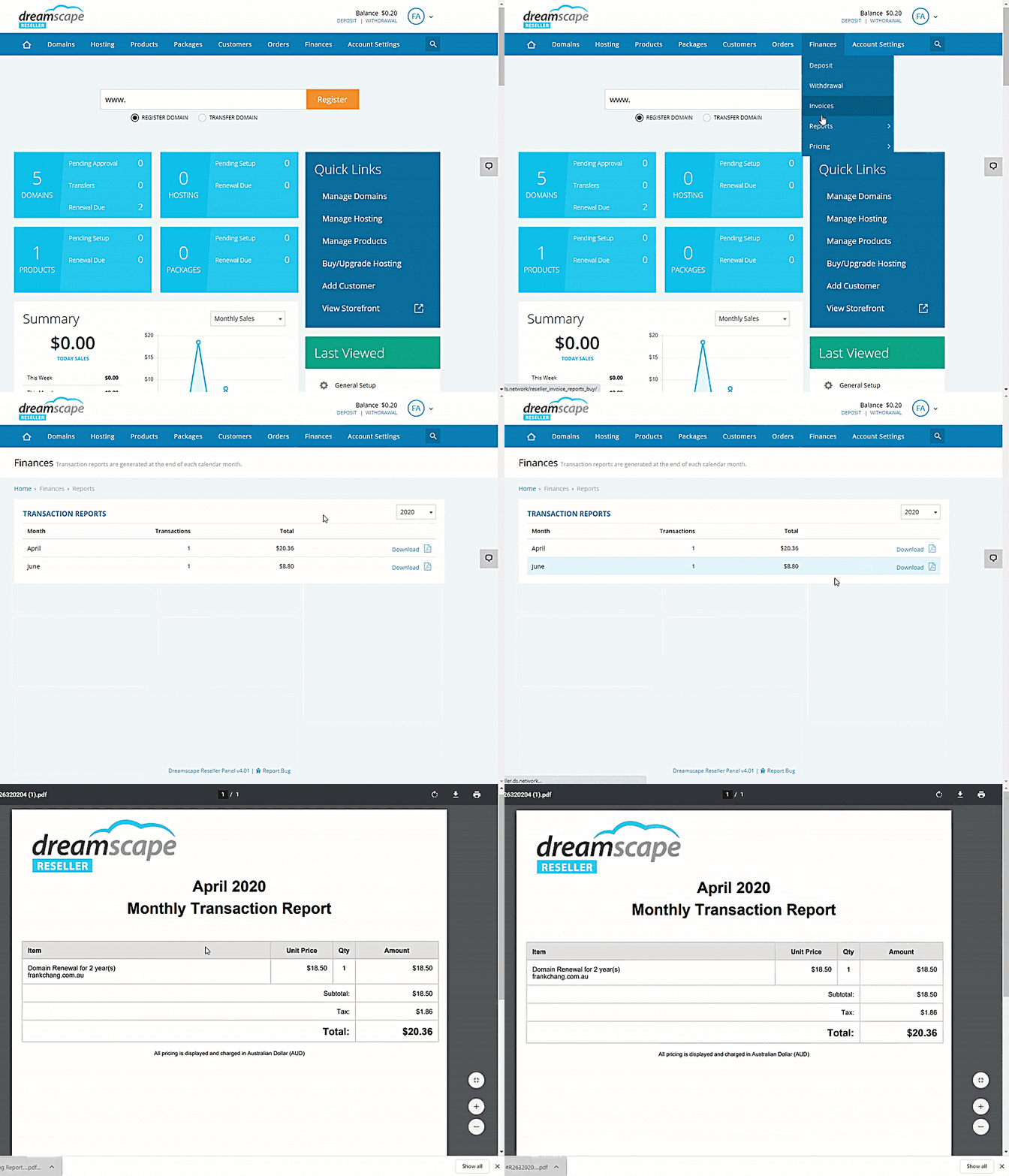
Transaction Reports show a detailed list of every domain name or product purchased under your account in a month. These monthly reports contain the following information:
- Product
- Product Price
- Quantity or Period
- Amount
- Total Amount
Checking the Transaction Report
- Log in to the Reseller's Console .
- Hover your mouse over the Finances option.
- Select Reports.
- Click Transaction Reports .
- Click the month you wish to view the reports and a PDF copy will automatically download.
Did you find this article helpful?